Follow Live Recording: real-time monitoring of recordings from third-party acquisition systems
Keep recording in the software you already use. Videre reads the recording as it’s written, so you watch the signals, check every channel and sort spikes while the session is still running.

Radiens reads the recording as it’s written
Radiens is NeuroNexus software that monitors an electrophysiology recording in real time by reading the recording as it’s written. It follows Intan, Open Ephys, Blackrock and TDT recordings, and its own, checking for new data every 500 ms, with nothing to add to your acquisition software. Radiens calls this Follow Live Recording.
Open the recording while it is still being written
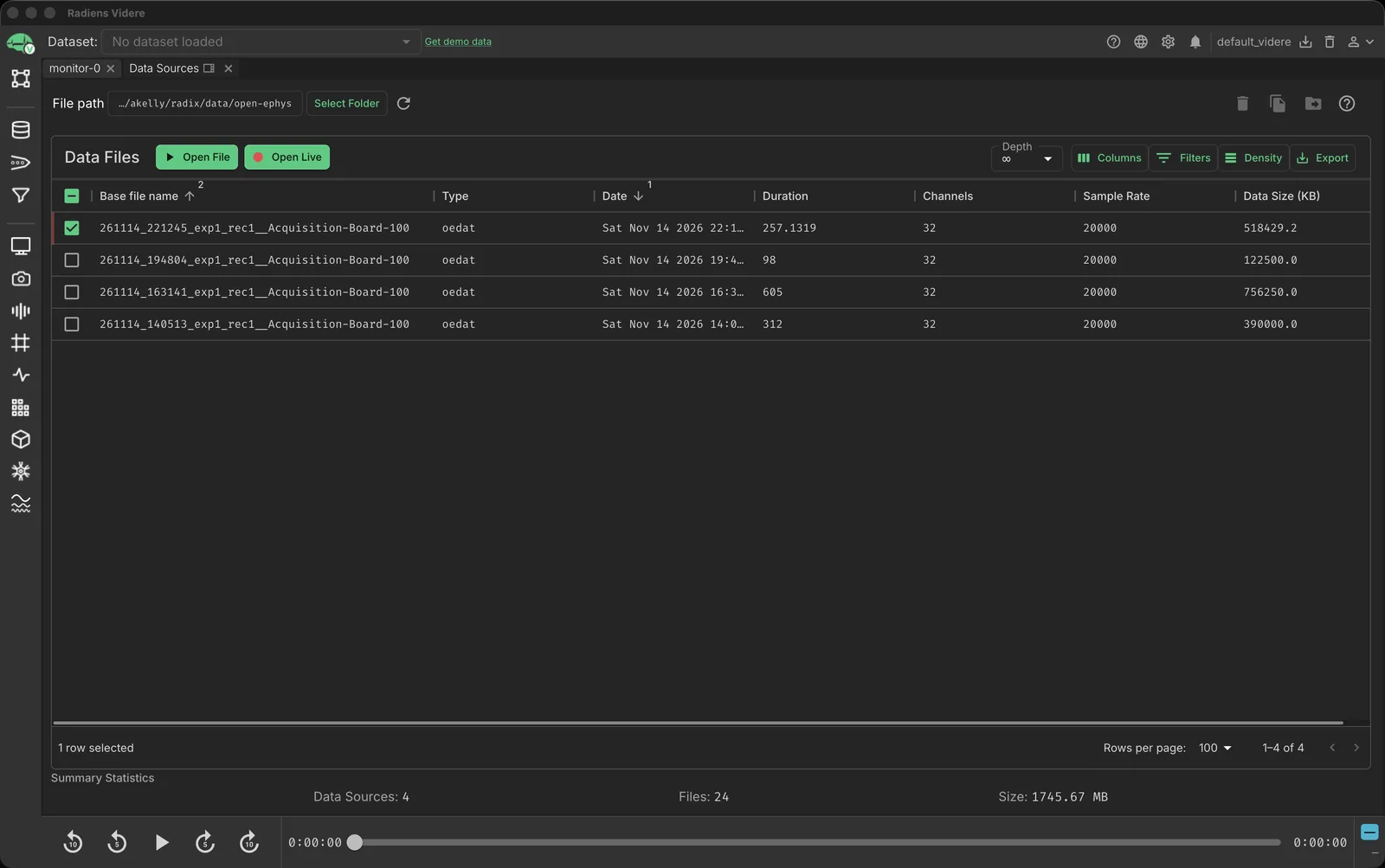
In Videre’s Data Sources, select the folder your acquisition software records into. A recording that is still growing has a pulsing red edge. Select it and click Open Live.
Four acquisition formats
Intan RHD and RHS, Open Ephys binary, Blackrock NSx and TDT blocks, plus Radiens XDAT.
No driver, no plugin
Videre reads the files your acquisition software already writes.
Open Live is at Pro
At Standard, Open File opens the recording up to that moment.
Watch the live edge, and look back without stopping
Press play in Monitor and the traces run at the live edge, marked LIVE. Pause, scrub, or step back 5 or 10 seconds to look at something again, then click Live to return. The recording carries on throughout.
New data every 500 ms
Videre checks the recording for new samples twice a second.
Look back
Pause, scrub, or step 5 or 10 seconds either way.
Your filters
Filters and referencing set in Signal Processing apply to the live view.
Check every channel while you can still fix it
Open Signal Metrics and the probe map colors each site by the metric you choose, such as noise or signal-to-noise, and keeps updating as the recording grows. You see a dead site or a noisy channel during the session.
On the probe layout
Each site colored by Noise, Signal To Noise, Event Rate or another of 15 metrics.
Sortable table
One row per site and one column per metric.
Your time window
Set the lookback from 500 ms to 10 s.

Sort spikes while the recording runs
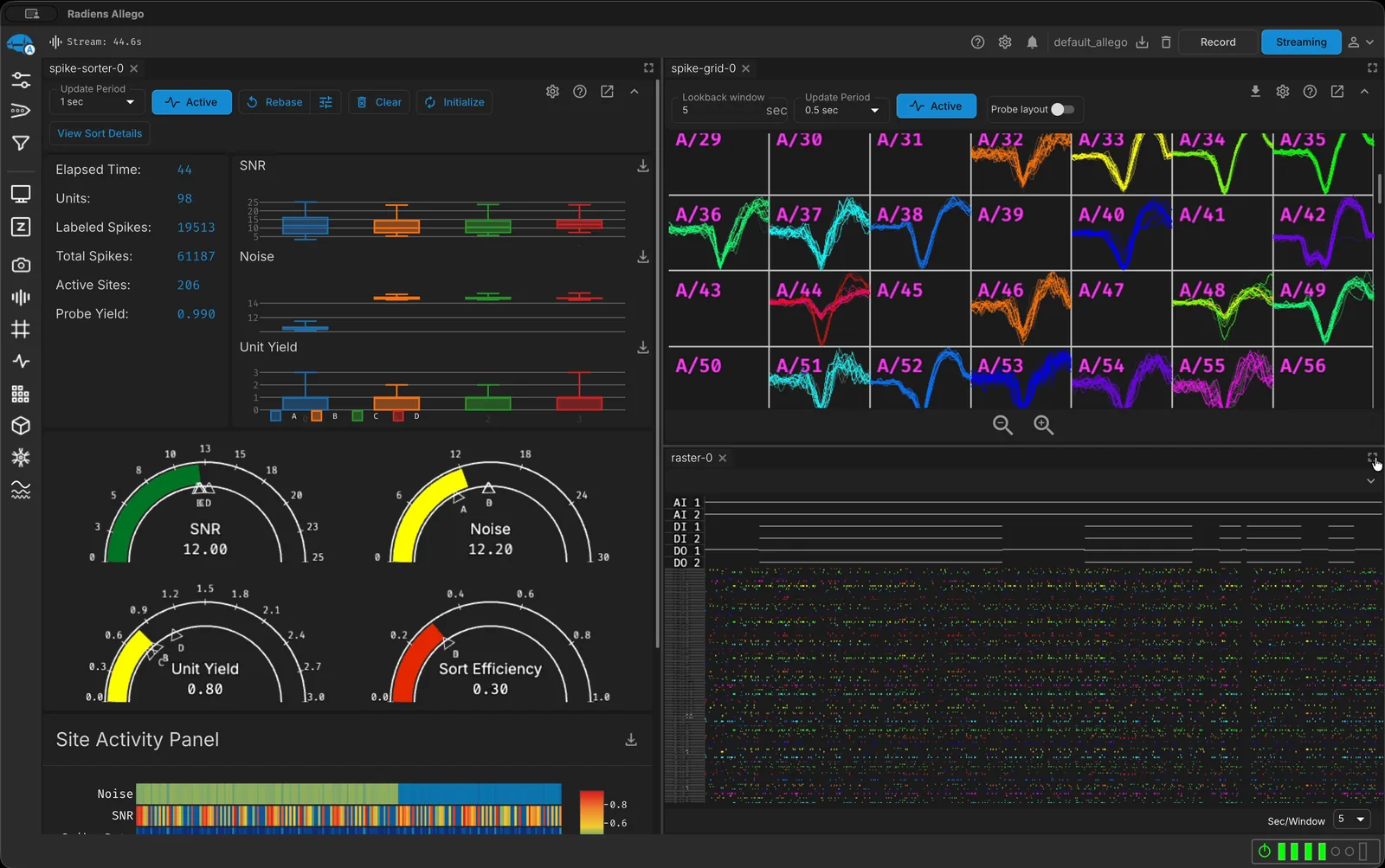
Start a sort in Spike Sorter and it follows the recording until the recording stops. Raster and Spike Grid read the sort while it is in progress, so units appear during the session.
Started once
One sort runs until the recording stops.
Raster and Spike Grid
Both show the sort while it is in progress.
Your thresholds
Detection thresholds per port, in µV or as a multiple of noise.

When the recording stops, keep working in the same file
When your acquisition software stops writing, the LIVE mark drops and the recording stays open at its final length. Carry on into analysis with nothing to convert, export or reopen.
Stops on its own
A recording counts as finished 30 seconds after its last write.
Protected while live
A recording in progress can’t be copied, moved or deleted from Videre.
From Python too
RadiensPy opens a recording in progress the same way.

Go deeper on each view

Signal metrics
The 15 metrics, how each is computed, and how to rank sites by them.
Spike sorting
The sorter, its dashboard and the per-unit views, live and after.

Recording with Allego
On NeuroNexus acquisition systems, Allego records and shows these views in one app.
Follow Live Recording in Radiens — FAQ
Can Radiens monitor an Intan, Open Ephys, Blackrock or TDT recording in real time?
Yes. Videre follows recordings written by Intan RHD and RHS, Open Ephys in its binary format from GUI 0.6.0, Blackrock NSx and TDT, as well as Radiens XDAT files. For Intan, record in the traditional or one-file-per-signal-type layout; one file per channel is not followed. Following a recording live is Open Live, a Pro feature. At Standard, Open File opens the recording as it stood at that moment.
Do I need to install anything in my acquisition software?
No. Your acquisition software keeps recording to its folder as usual, and Videre reads the files as they are written, with no plugin, driver or network stream. Point Videre’s Data Sources at the recording folder: a recording that is still growing shows a pulsing red edge, and Open Live follows it. The first time Videre opens a Blackrock or TDT recording, it writes a small metadata file beside it.
How far behind the recording is the live view?
Videre checks the recording for new data every 500 ms, so the live view trails the file by about half a second, plus however long your acquisition software holds data before writing it to disk. A LIVE mark shows when you are at the live edge; step back to look at earlier data, then click Live to return. Once the file has not grown for 30 seconds, Videre treats the recording as finished.
How does following a recording in Videre compare with recording in Allego?
Allego is the acquisition app: it controls Smartbox, SiNAPS and XDAQ systems and records the stream itself. Open Live in Videre is for recordings another system is writing, such as an Intan or Blackrock rig, and it reads the files on disk, so your setup does not change. Both show the Monitor, Signal Metrics and Spike Sorter while data arrives, and both recordings open in Videre for analysis afterward.